
Smithereen relies on ActivityPub for app identity and metadata. To obtain an access token, you need to provide a client_id, which is an ActivityPub object ID (a URL that points to a JSON document) of an Application object representing your app.
There are two ways you can create such an object: using any Smithereen server, or self-hosting. Pick whichever one best fits your requirements.
Note that you will be unable to move your app to a different URL after creating it.
Using a Smithereen server
Ideal for testing, small personal projects, or if you run your own Smithereen server anyway.
To create an app, on any Smithereen server where you have an account, navigate to My Settings → Applications → Create an application, and complete the form that appears.
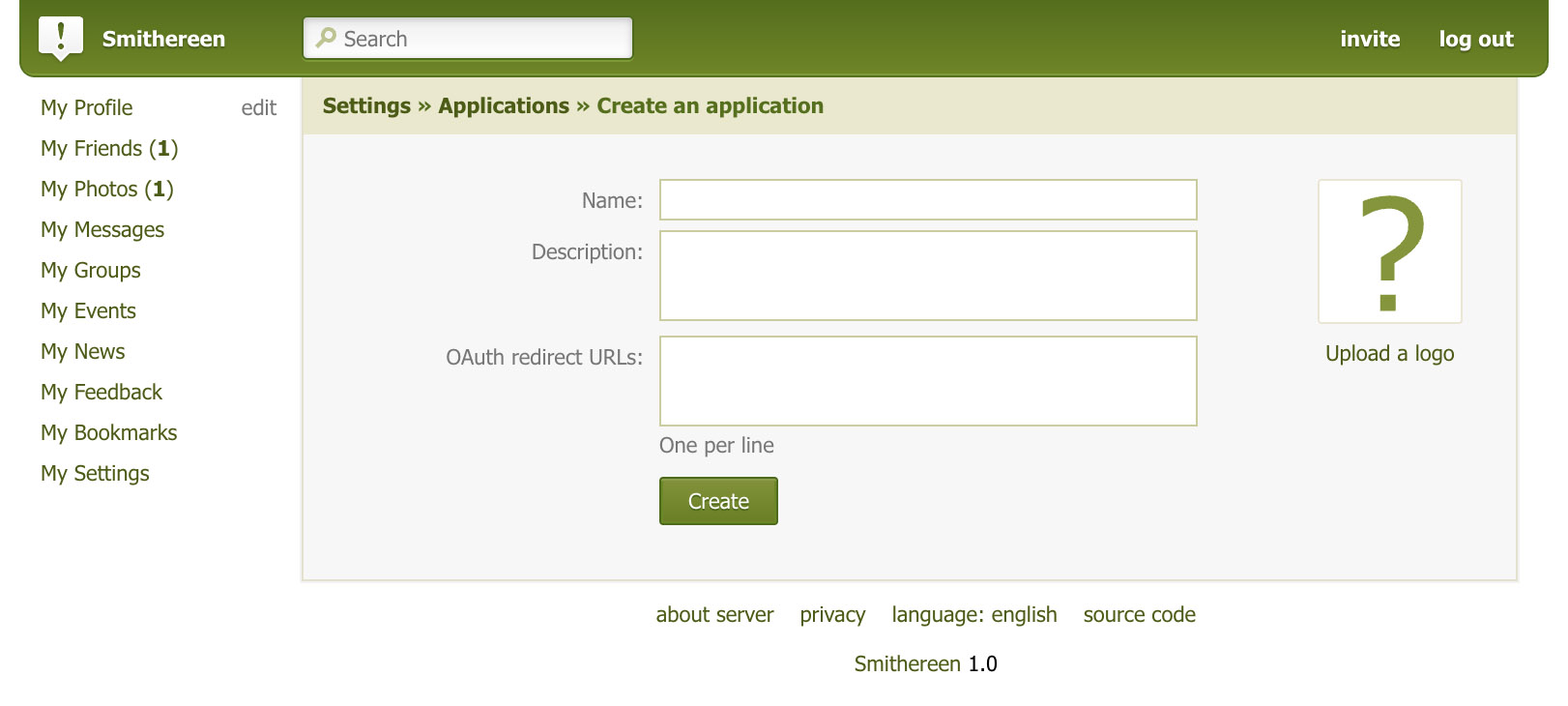
After creating your app, you will see its ID in its management UI.
Pros:
- Quick to set up and easy manage
- No infrastructure needed, completely free
Cons:
- You depend on the staff of the server on which you created your app – both to keep the server running and to keep your account active
- You don't get the same kind of fine-grained control you would with self-hosting
Self-hosting
Truly independent.
To self-host an app, you will need a web server capable of serving static files, a domain, and a TLS certificate.
Create a JSON file like this on your server:
{
	"@context": [
		"https://www.w3.org/ns/activitystreams",
		"https://w3id.org/security/v1",
		{
			"sm": "http://smithereen.software/ns#",
			"redirectUri": "sm:redirectUri"
		}
	],
	"id": "https://example.com/apps/my-cool-app.json",
	"type": "Application",
	"name": "My Cool App",
	"inbox": "https://example.com/apps/inbox",
	"publicKey": {
		"id": "https://example.com/apps/my-cool-app.json#main-key",
		"owner": "https://example.com/apps/my-cool-app.json",
		"publicKeyPem": "-----BEGIN PUBLIC KEY-----\n ... \n-----END PUBLIC KEY-----"
	},
	"icon": {
		"type": "Image",
		"mediaType": "image/png",
		"url": "https://example.com/apps/my-cool-app-icon.png"
	},
	"redirectUri": "my-cool-app://oauth-callback"
}
| Property | Required? | Meaning |
|---|---|---|
| @context | Yes | JSON-LD context. Required on all ActivityPub objects for proper namespacing. You can just copy the one out of the example above. |
| id | Yes | ActivityPub object ID. Must be the URL of the object itself. |
| type | Yes | ActivityPub object type. Must be set to Application. |
| name | Yes | The user-visible name of your app. |
| inbox | No | ActivityPub inbox endpoint. If you set this, you will receive an Add activity every time a new user authorizes your app. |
| publicKey | No | Your app's public RSA key to sign outgoing ActivityPub requests. You can use this to send an Update activity to your users" servers to make them update the app metadata immediately instead of waiting up to 24 hours for each server to reload it. |
| icon | No | An ActivityPub Image object representing your app's logo. The logo should be a square image without any alpha transparency, in any format supported by Smithereen. |
| redirectUri | Yes | A string or an array of strings for allowed values of OAuth redirect_uri. |
Although not required, it is recommended that this file is served with Content-Type: application/ld+json; profile="https://www.w3.org/ns/activitystreams".
Depending on your needs, your self-hosting setup can have any level of sophistication ranging from just a static file to a server application implementing an ActivityPub server, keeping track of your users in a database and sending Update{Application} activities out to their inboxes every time you edit the app.
If you specified an If you keep track of who has your app authorized, and your app has a public key, you can send this to Example of an incoming Add activity
inbox, you will receive one of these every time a new user authorizes your app.{
"@context": "https://www.w3.org/ns/activitystreams",
"type": "Add",
"id": "https://example.social/users/123#addApp345",
"actor": "https://example.social/users/123",
"object": "https://example.com/apps/my-cool-app.json",
"target": "https://example.social/users/123/apps"
}
Example of an outgoing Update activity
inbox or sharedInbox of each of your users (deduplicating the inbox URLs) to force their servers to update the app metadata immediately:{
"@context": [
"https://www.w3.org/ns/activitystreams",
"https://w3id.org/security/v1",
{
"sm": "http://smithereen.software/ns#",
"redirectUri": "sm:redirectUri"
}
],
"type": "Update",
"actor": "https://example.com/apps/my-cool-app.json",
"object": {
"id": "https://example.com/apps/my-cool-app.json",
"type": "Application",
/* ... remaining properties ... */
}
}
Pros:
- You own your app identity. You only depend on DNS
- As much control as you could possibly get
Cons:
- You need a server and the skills to run and maintain it
- If you don't already have a server and a domain, you will have to pay for those just to have your own app ID